Booking guide
How to book your stay
A visual, step-by-step guide — perfect for groups of 12+ guests booking multiple cabins in one reservation.
 01
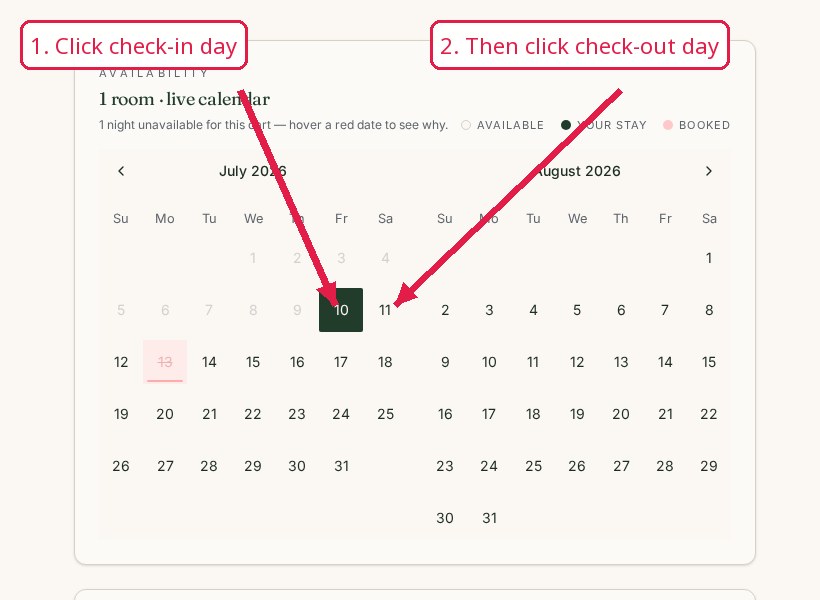
01Select dates & initial guests
Open the booking page and choose your check-in and check-out dates on the calendar, then enter how many adults and children (under 12) will stay.
- Click Check-in and Check-out on the calendar.
- Enter number of adults.
- Enter number of children under 12 (if any).
 02
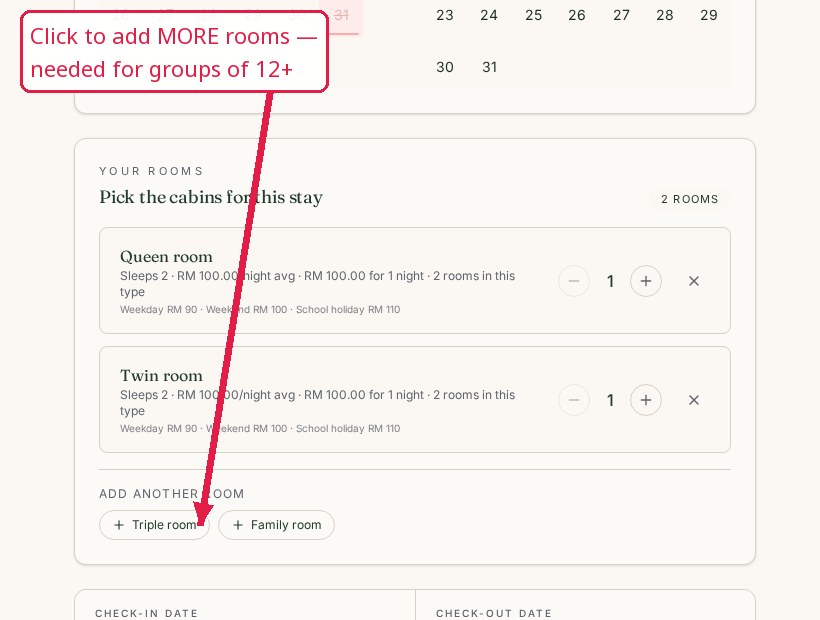
02Add multiple rooms
Pick a cabin that suits your party, then keep adding rooms until the total capacity fits everyone in your group.
- Choose a cabin (Queen, Twin, Family, etc.).
- Click Add Room to place it in your cart.
- Click Add Another Room and repeat for every additional cabin.
- Mix Queen and Twin rooms to reach the exact headcount.
💡 Booking for a large group?
If you have more than 12 guests, use the Add Room feature to select multiple rooms until your total guest count is accommodated. Our cabins fit different capacities — combine Queen and Twin rooms to cover everyone.
 03
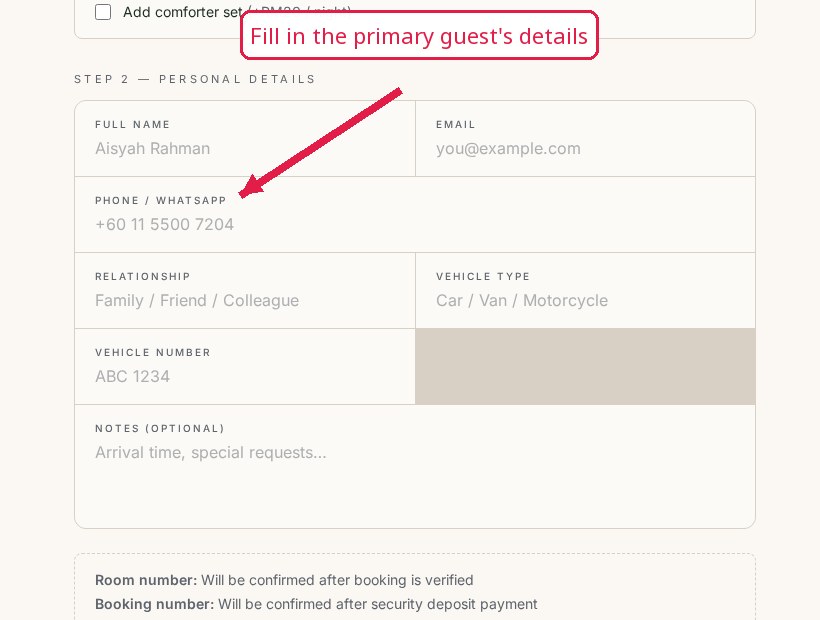
03Review & guest details
Confirm all the rooms in your cart, then fill in the primary guest's information for the whole booking.
- Double-check dates, rooms, and total price.
- Enter primary guest name, IC number, phone, and vehicle details.
- Add any remarks (arrival time, requests).
 04
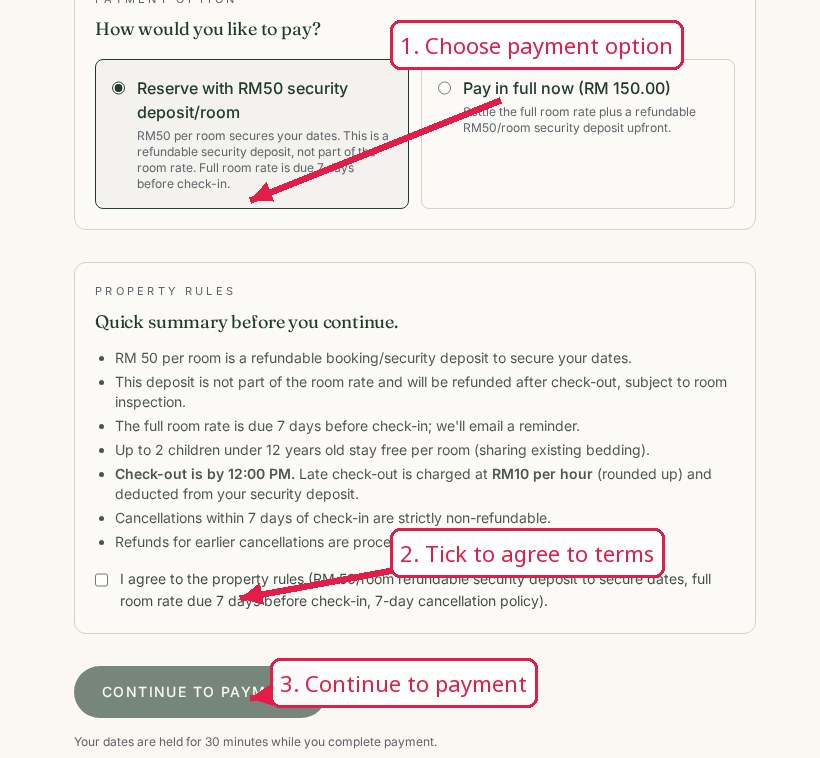
04Secure your booking
Choose deposit or full payment, accept the terms, and complete checkout. You'll receive a confirmation email with your manage-booking link.
- Select deposit or full-payment option.
- Accept terms (incl. late check-out RM10/hour).
- Complete payment on the secure checkout page.
- Save the confirmation email for check-in.
Ready to book?
You can also book in WhatsApp if you'd like help booking for a large group.
Book in WhatsApp